

Search
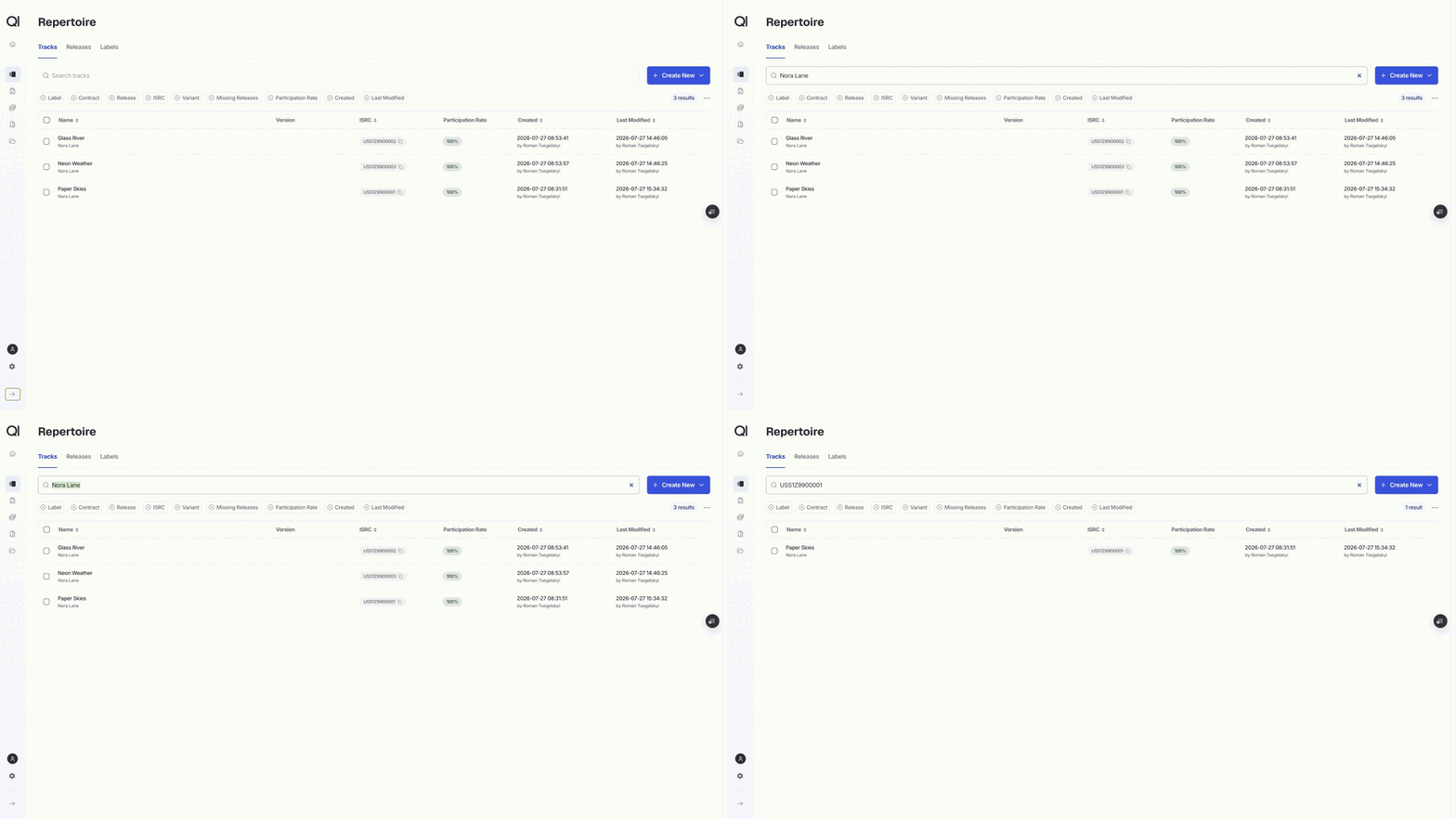
The search box matches as you type, from two characters onward. On Tracks it looks at the track title, the artist, the ISRC, the P line, the external ID, the version, and every alias. On Releases it looks at the release title, the artist, the barcode, the catalog number, the external ID, the version, and every alias. On Labels it looks at the name. Searching forUSS1Z9900001 and searching for Nora Lane both work, because the same box covers identifiers and names.
Filter chips
A chip with a dashed outline is not doing anything yet. Click it, pick your values, and the outline turns solid with a count beside the label. The x on the chip clears that one filter, and Clear filters at the end of the row clears them all while leaving your search in place. Filters combine. Picking two labels means either label, but adding a contract filter on top narrows it to items that match a label and that contract. Filters also live in the address bar, so a filtered view is a link. Bookmark it, or paste it to a colleague and they see the same set.Filters on Tracks
Label and Contract narrow to tracks carrying that label or attached to that contract. Release narrows to the tracks on the releases you pick. ISRC takes a whole list at once. See Pasting a list of identifiers. Variant filters on the variant set on the track: Live, Instrumental, Remix, Radio edit, and the rest of the fixed list. Missing releases answers “which tracks are not on any release yet”. Set it to Yes for the orphans, No for everything already placed. Participation rate filters on the total of the track’s Sales rates, which is how you find allocation gaps. A range of 0 to 99 finds everything under-allocated, and a max of 0 finds tracks with nothing allocated on the sales side. Cost rates are not counted here. Created and Last modified take a date range each, which is how you review an import you ran this morning.Filters on Releases
Releases share Label, Contract, Variant, Participation rate, Created, and Last modified, and behave the same way. Track narrows to the releases containing the tracks you pick, the mirror of the Release filter on the Tracks page. Barcode and Catalog Number each take a whole list at once. Format narrows by format type, using the list you maintain under Configurations › Types and categories. Missing tracks finds releases with an empty tracklist.Filters on Labels
Labels have search, Created, and Last modified.Pasting a list of identifiers
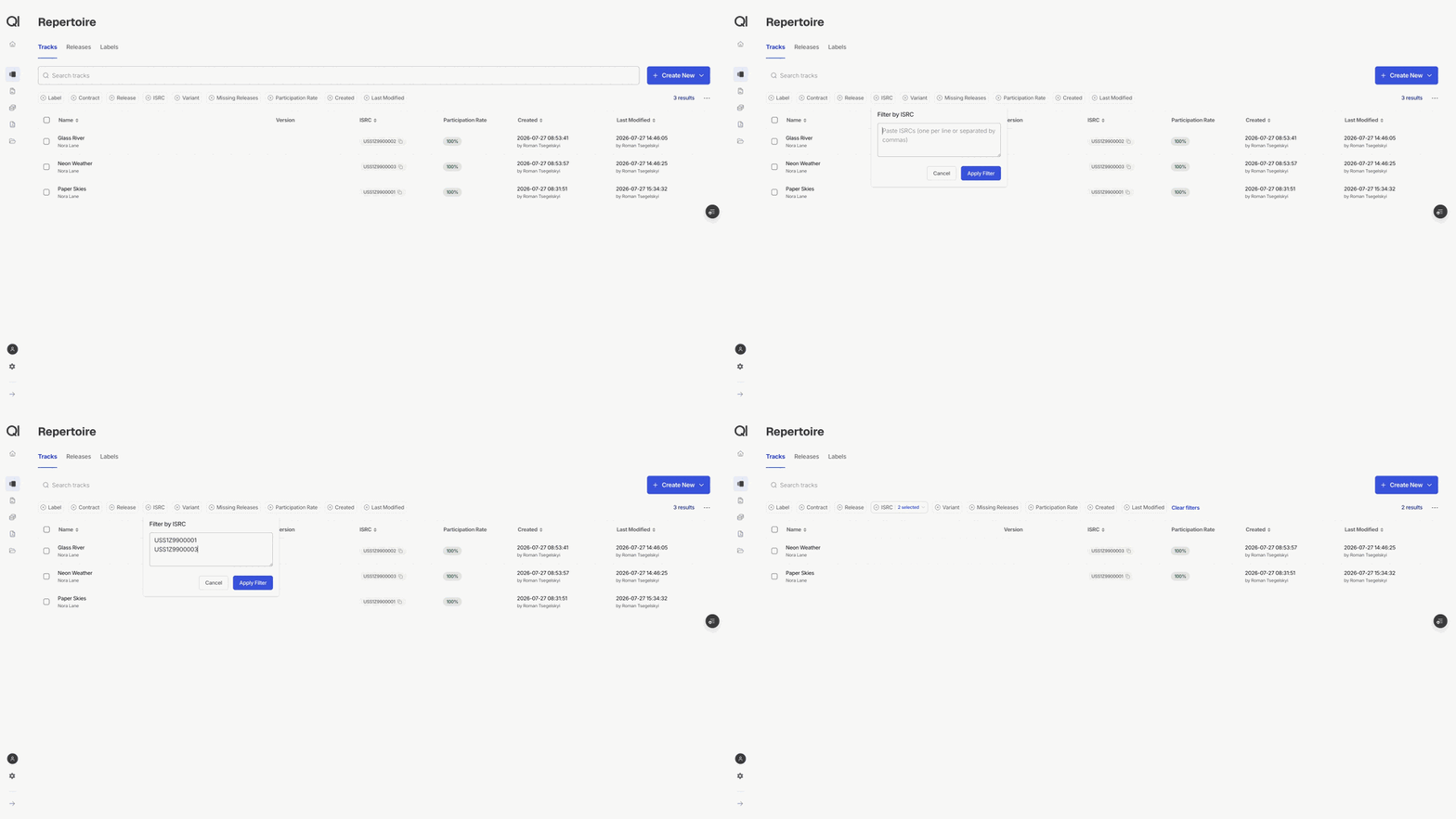
The ISRC, Barcode, and Catalog Number chips are built for the list somebody sent you. Open the chip, paste the identifiers straight in, one per line or separated by commas, and click Apply Filter. These match in full, not in part.USS1Z9900001 finds that track, USS1Z99 finds nothing. Write ISRCs without dashes, the way they appear in sales files. Each value shows as a removable tag under the box, so you can drop one without repasting the rest.
Using the result
The result count sits at the end of the filter row and always reflects the filters, not the page you can see. Sort by clicking a column header. Sorting does not change what matched. Two things then act on the whole filtered set rather than the visible page:- Export Filtered in the ⋯ menu exports everything that matched. See Importing and exporting via Excel.
- Ticking the header checkbox offers Select all, which extends your selection past the loaded page so bulk actions cover the full set.