

Creating repertoire requires write access to Repertoire. If you don’t see the Create New button, ask your administrator. See User access and roles.
Creating a track
1
Go to Repertoire › Tracks
Click Create New, then choose Single.
2
Fill in the required fields
Every track needs a Name, an Artist, and an ISRC. For example, Midnight Run by Nora Lane with ISRC
USS1Z9900001.Qlero checks the ISRC as you type. Each ISRC must be unique within your record company. If it’s already taken, you’ll see “A track with this ISRC already exists” and won’t be able to save.3
Add optional details
Variant, Version, Label, and a few more fields are optional. The Track glossary describes each one.
4
Click Create track
The track opens on its own page, where you can add a Duration (
mm:ss), aliases, and more.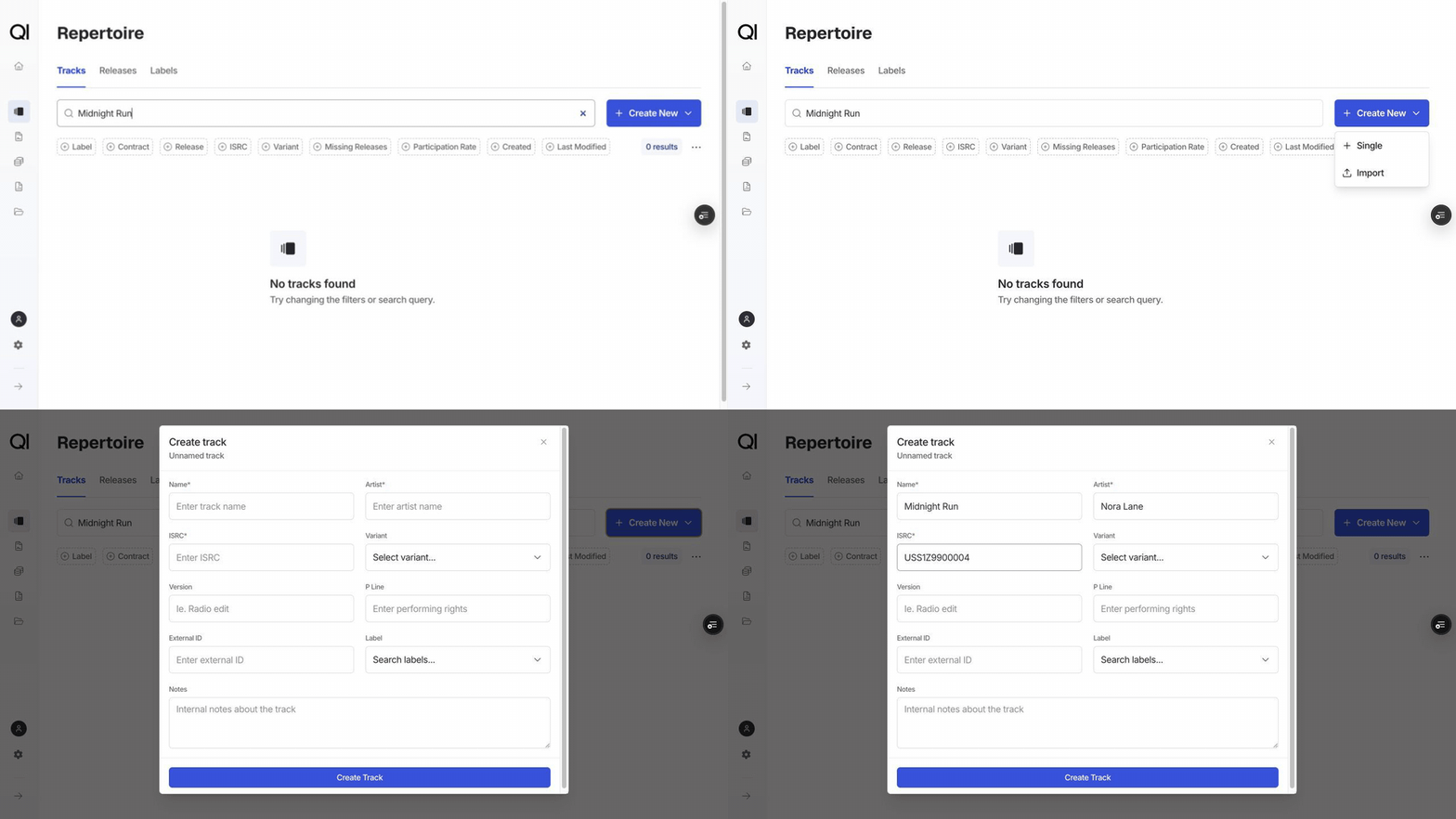
Creating a release
1
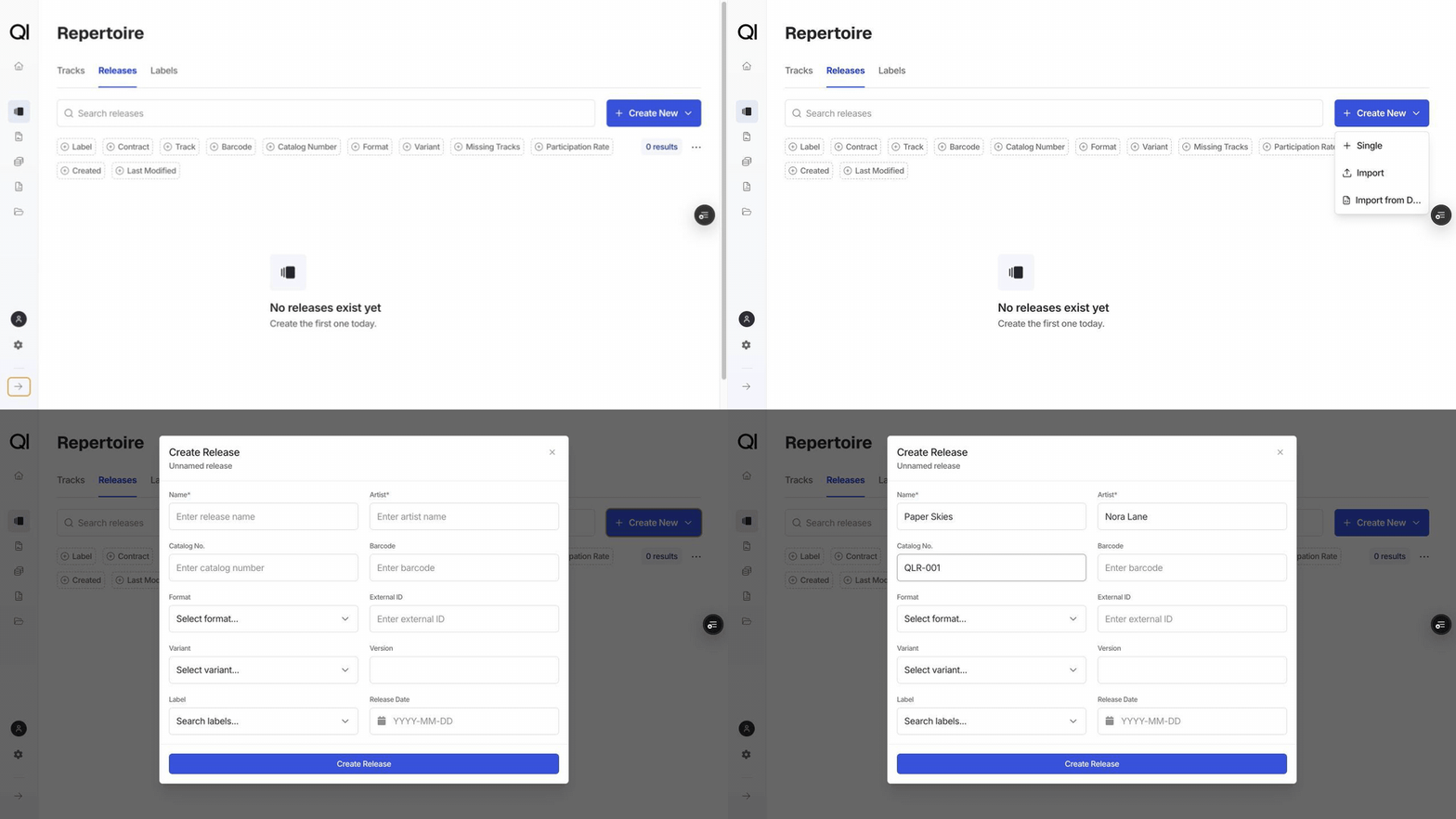
Go to Repertoire › Releases
Click Create New, then choose Single.
2
Fill in the required fields
Every release needs a Name, an Artist, and at least one identifier: a Barcode, a Catalog no., or both. For example, Midnight Run EP with catalog number
QLR-001.3
Add optional details
Format, Release Date, Label, and a few more fields are optional. The Release glossary describes each one.
You manage the Format list (Album, EP, Single, and so on) yourself under Configurations › Types and categories.
4
Click Create release
The release opens on its own page, ready for you to add tracks.
Adding tracks to a release
You link tracks from the release side, once the release exists.1
Open the release
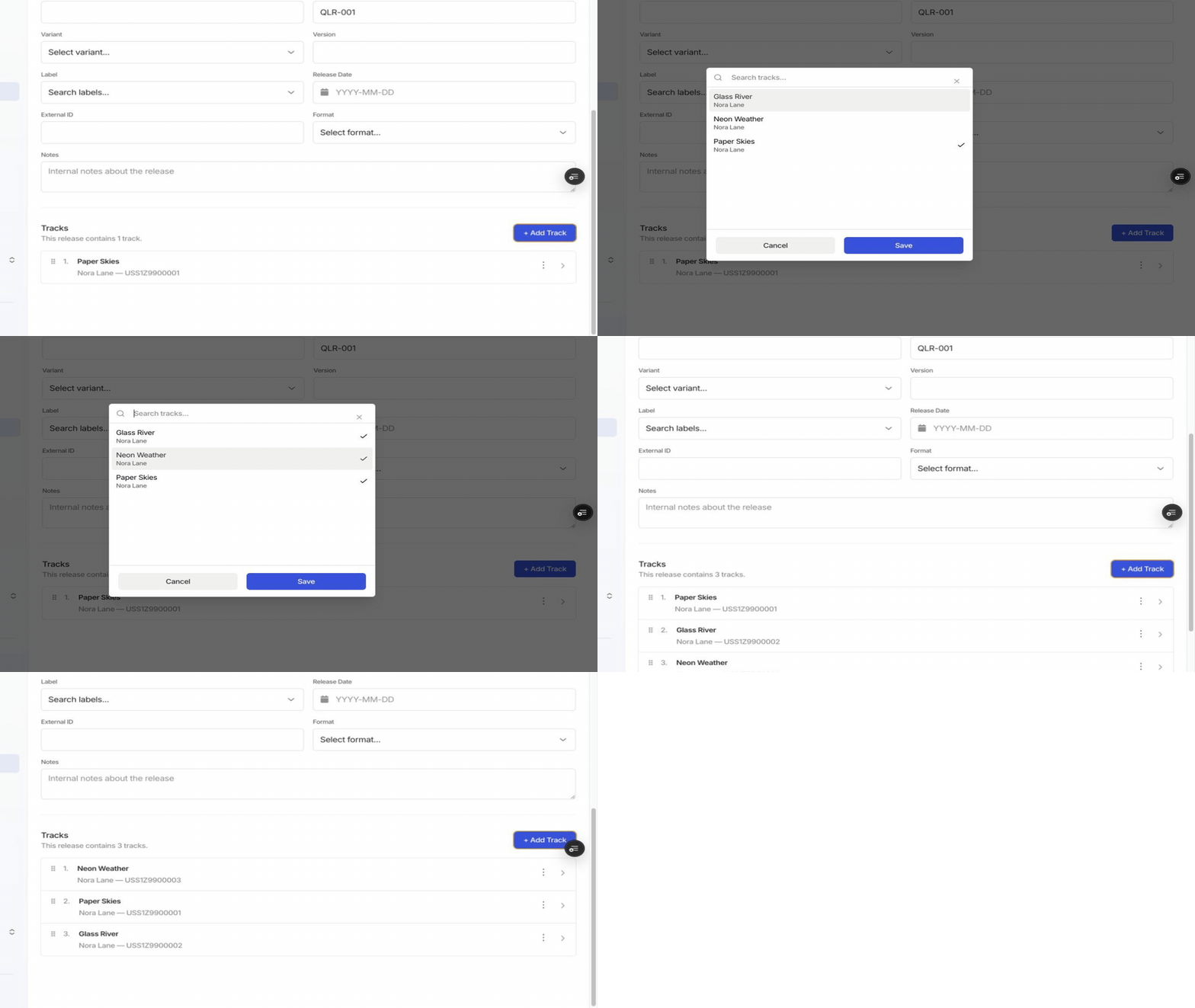
On the release’s Overview page, find the Tracks section and click + Add track.
2
Select one or more tracks
Search for existing tracks, select every track you want on the release, then click Save.
3
Order the tracklist
Drag tracks into the correct running order. The order is saved automatically.
Other ways to add repertoire
- Import from Excel: choose Create New › Import on the Tracks or Releases page and download the template. See Importing and exporting repertoire.
- Import from DDEX: available under Create New on the Releases page. See Importing new repertoire via DDEX.
- From a sales file: when an imported sale doesn’t match anything in your repertoire, you can create or link the missing track or release directly from the sales file editor. Qlero saves the identifier as an alias so future sales match automatically. See Using track aliases to match sales data.