

Creating labels requires write access to Repertoire. If you don’t see the Create New button, ask your administrator. See User access and roles.
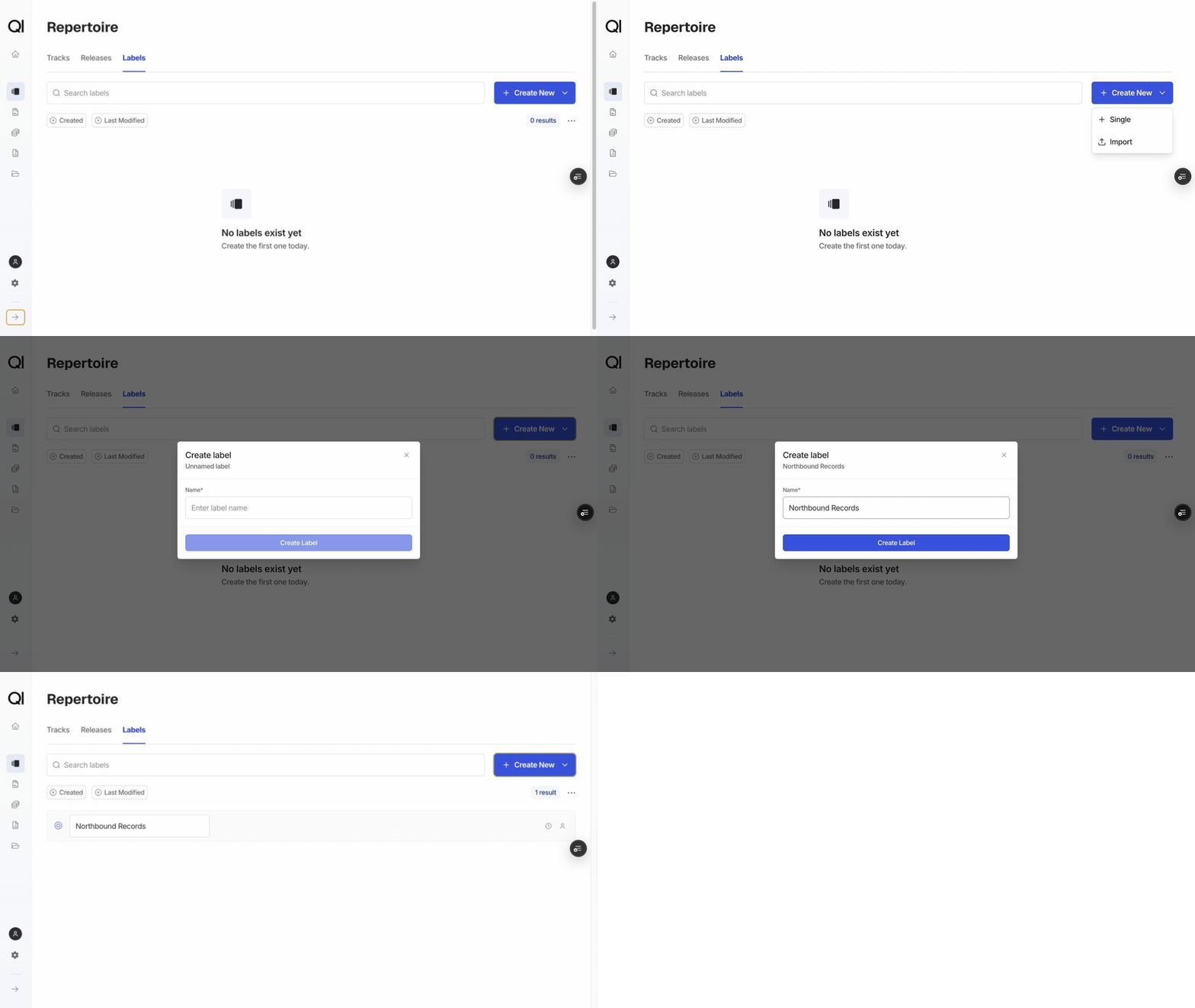
Creating a label
1
Go to Repertoire › Labels
Click Create New, then choose Single.
2
Enter a name
The only field is Name, for example Northbound Records. It must be unique within your record company. If the name is already taken, you’ll see “Name ‘Northbound Records’ is already used.” and won’t be able to save.
3
Click Create label
The label appears in the list, ready to assign.
Assigning a label to tracks and releases
Both the track form and the release form have a Label field, among the optional details. Set it when you create the track or release, or add it later from the item’s own page.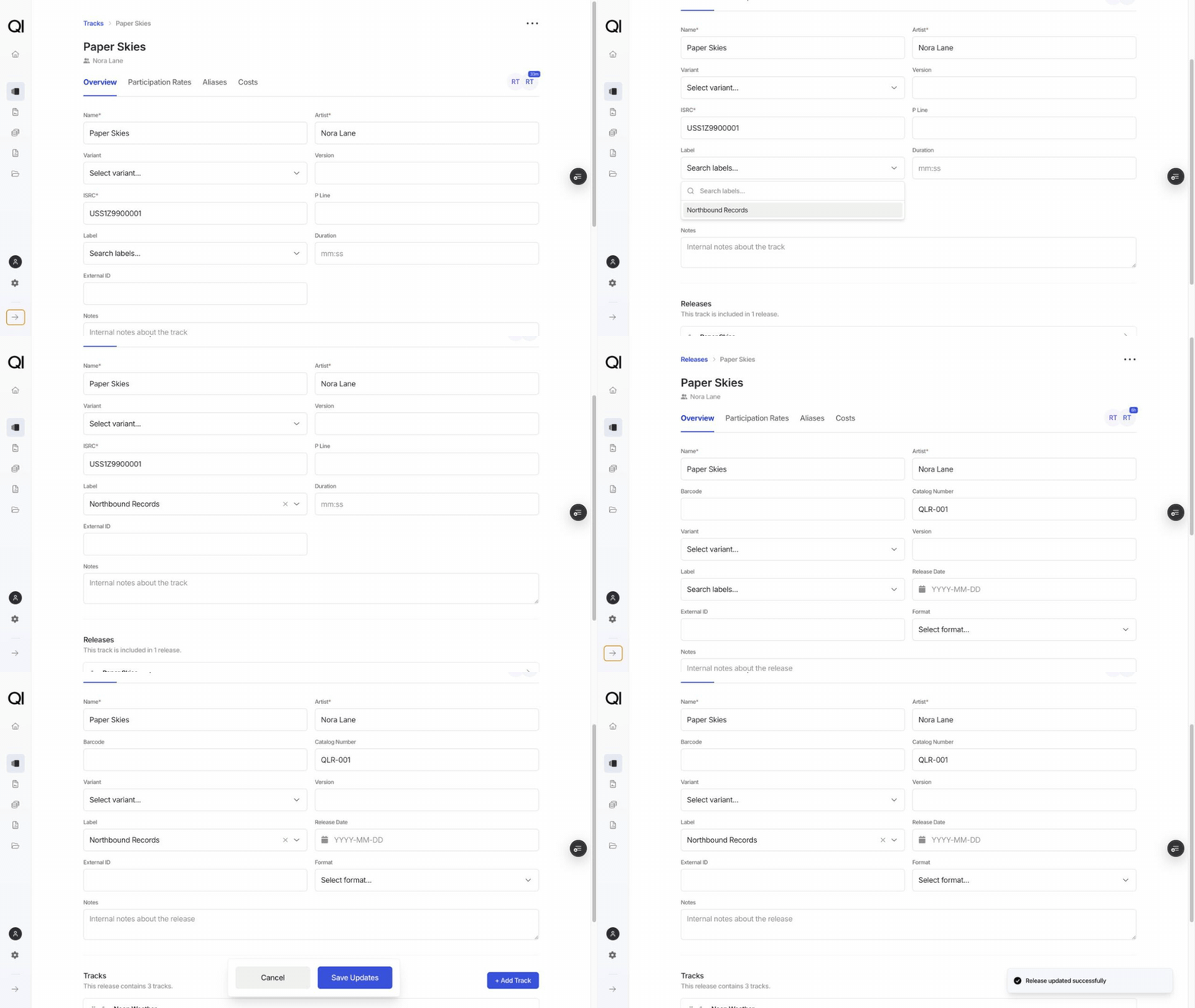
Renaming a label
You can rename a label directly in the list. Click its name, type the new one, then click Save. Cancel discards the change. Renaming updates every track and release already using the label, along with any contract auto-matching rule built on it.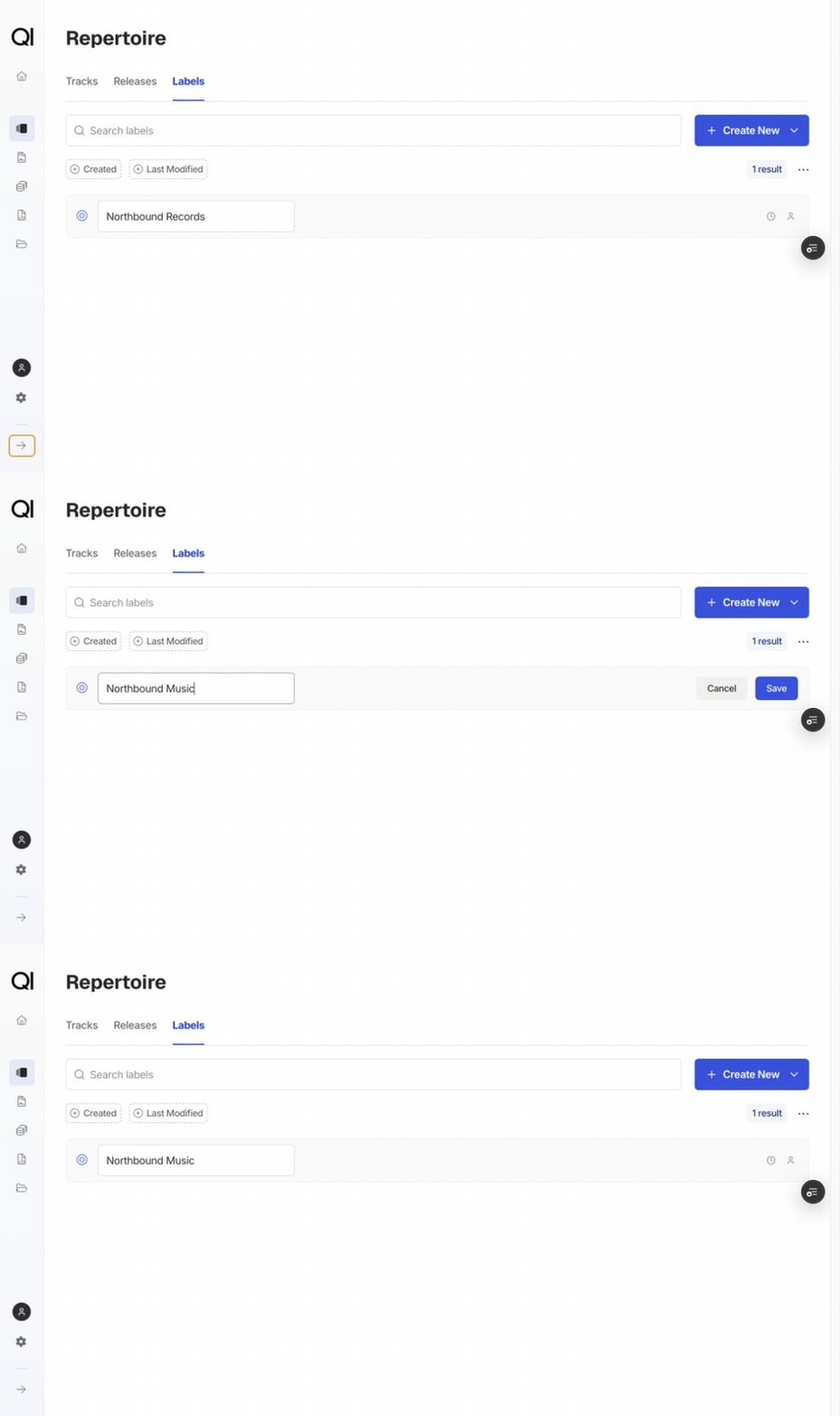
What labels are used for
- Filtering repertoire: narrow the Tracks and Releases lists to one or more labels.
- Analytics: break period and sales file figures down by label.
- Auto-matching contracts: a contract can match repertoire by label, so anything carrying that label attaches to the contract without manual mapping. It only picks up tracks and releases that have no sales contract yet, and attaches them at 100% on the sales side, so existing assignments stay as they are. A label can auto-match for only one contract. See Auto-matching contracts to repertoire.
Other ways to add labels
- Import from Excel: choose Create New › Import on the Labels page and download the template. It has two columns, Id and Name. Leave Id blank to create a label. To change an existing label, export the labels first and keep the Id on its row. Names still have to be unique, so a row repeating a name that already exists is rejected. See Importing and exporting repertoire.
- Export: download the current list, filtered or complete, in the same shape as the import template.